CompareJobber
Free for one person is the price here, not a trial. Book the job, quote it, and invoice it on an account that costs $0 a month.
No credit card. No contract.
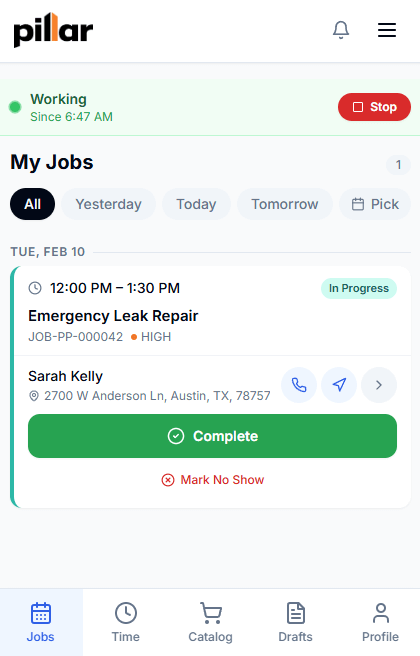
Jobber is easy to pick up. So is Pillar, and for one person it is $0 a month.
Not a stripped-back version and not a countdown. Here is the whole offer, limit included.
Scheduling, estimates, invoices, payments, the customer portal, reports, and the phone app. Nothing is held back for a bigger account.
One person can create 100 jobs, 100 estimates, and 100 invoices a month. Reading, editing, and exporting what you already have is never blocked.
The second person is $39 a month, and the monthly cap lifts for as long as they are on the account.
One column is verified against what we charge. The other is yours to fill in, because Jobber's prices are theirs to publish.
Swipe across for the write-in column.
| Line item | Pillar | Jobberwrite in yours |
|---|---|---|
| Price to start | $0. One person, forever, no card. | What you pay this month |
| Each additional person | $39 a month for their login. Yours stays free. | What the next person costs you |
| Features behind a higher plan | None. Every feature is on for every account. | What you would pay to add the ones you want |
| Texting and calling | Prepaid credit at the carrier rates plus a markup. Every rate is printed on the pricing page. | What numbers and messages add to your bill |
| Limits while you are one person | 100 jobs, 100 estimates, and 100 invoices a month. The cap lifts on the second seat. | Your limits today |
| Customers you can hold | Unlimited, on every account. | Your contact limit |
| File storage | At least 25 GB, plus 25 GB for every paid person. | Your storage allowance |
| Contract | None. Month to month, cancel anytime. | Your renewal date and notice period |
| Setup fee | $0. Importing your data is free too. | What it cost you to start |
| Getting your data out | Everything exports to a spreadsheet, from every account. | Check before you need it |
Payments taken through Pillar carry Stripe’s standard processing fees on your own Stripe account, plus 1% to Pillar. Cash and checks cost nothing.
We do not print other companies’ numbers, because they change without notice. Every number in our column is verified against what we charge.
All four answers are on the bill in your inbox. Ours are in the table above and the note under it, already filled in.
Export from Jobber, upload the file, and the Jobber preset maps the fields for you. Everything else comes in from a CSV or Excel export on the same screen.
Anything you keep in a CSV or Excel file uploads the same way, on the same screen, 100,000 rows a file.
Equipment and agreements come across as a second spreadsheet, on the same import screen. Both are free, up to 100,000 rows a file.
Also imports from ServiceTitan, Housecall Pro, FieldEdge, ServiceM8, Workiz, Square, or any CSV or Excel spreadsheet.
Customers, jobs, and invoices come across with their history. The rest uploads as a spreadsheet.
One click rolls the whole import back. Start over clean.
Nothing. Importing is free, up to 100,000 rows a file.
Everything exports to a spreadsheet, anytime, from every account.
Pillar is free for one person, with every feature switched on, unlimited customers, and no card at signup. While you are the only login it holds 100 jobs, 100 estimates, and 100 invoices a month.
No. There is no clock and no expiry date. Verify your email and the account is live for as long as you want it.
Yes. Export from Jobber and the preset maps your customers, jobs, quotes, invoices, and products list. Importing is free, up to 100,000 rows a file, and a bad import rolls back in one click.
$39 a month for their login, and the 100-a-month cap lifts for as long as they are on the account. Nothing else changes, because every feature was already on.
Yes. Import a few customers, run next week’s jobs in Pillar, and keep Jobber until you are sure. Everything you enter exports back out to a spreadsheet.
More pricing questions? Read the pricing FAQ → Or ask us something else.
Start free, import a few customers, and run Pillar next to Jobber for a week.
No card. No contract. No sales call.
