Built for landscaping companies
Recurring mowing schedules, crew coordination, seasonal transitions, and property management clients. Pillar handles the operational complexity so you can focus on growing your routes.
Landscaping is repetitive work. Your software should handle that.
Most field service tools are built for one-off repairs. Landscaping runs on recurring schedules, crew-based routing, and seasonal fluctuations. Pillar is built for both.
Recurring schedule chaos
Weekly mowing, bi-weekly hedge trimming, monthly cleanups. Managing repeating visits across dozens of properties is error-prone without automation.
Crew coordination gaps
Sending the wrong crew to the wrong property wastes fuel and frustrates customers. You need crew-level scheduling, not just individual tech assignment.
Seasonal service transitions
Spring cleanup, summer mowing, fall leaf removal, winter snow. Swapping service types across your customer base takes planning.
Property manager expectations
Commercial clients and HOAs expect professional reporting, timely invoices, and visibility into work performed. Spreadsheets do not cut it.
Set it once, mow all season
Define weekly, bi-weekly, or monthly patterns with configurable intervals and optional end dates. Pillar creates new jobs automatically and tracks when each property is due next.
Flexible recurrence rules
Daily, weekly, bi-weekly, and monthly patterns with configurable intervals. Set optional end dates for seasonal work.
Automatic job creation
Pillar tracks the next occurrence and creates new jobs without manual entry. Your schedule stays current with no effort.
Linked to service agreements
Tie recurring jobs to service agreements for billing alignment. Jobs generate automatically while the agreement is active.
Assigned crews by default
Set a default technician or crew for each recurring job. New visits inherit the assignment so scheduling stays consistent.
Active Recurring Schedules
Weekly Lawn Mowing
Oakridge HOA - 24 Properties
Next: Feb 10
Hedge Trimming
Parker Residence
Next: Feb 14
Commercial Grounds Maintenance
Riverwalk Office Park
Next: Feb 11
Irrigation System Check
Sunset Valley Community
Next: Mar 1
Coordinate crews, not just individuals
Assign multiple technicians to a job with a designated crew lead. Track skills, set schedules, and manage time-off across your entire team from one screen.
Multi-Technician Assignment
Assign two or more crew members to a job with a designated lead. Everyone on the crew sees the same job details and checklist.
Skill-Based Matching
Track skills per technician and match them to job requirements. Irrigation specialists go to irrigation jobs, not general mowing.
Work Schedules & Time Off
Configure weekly schedules per crew member. Vacation, sick leave, and training requests follow an approval workflow.
Territory Assignment
Assign crews to service locations so the right team covers the right area. Location mismatch alerts catch scheduling mistakes.
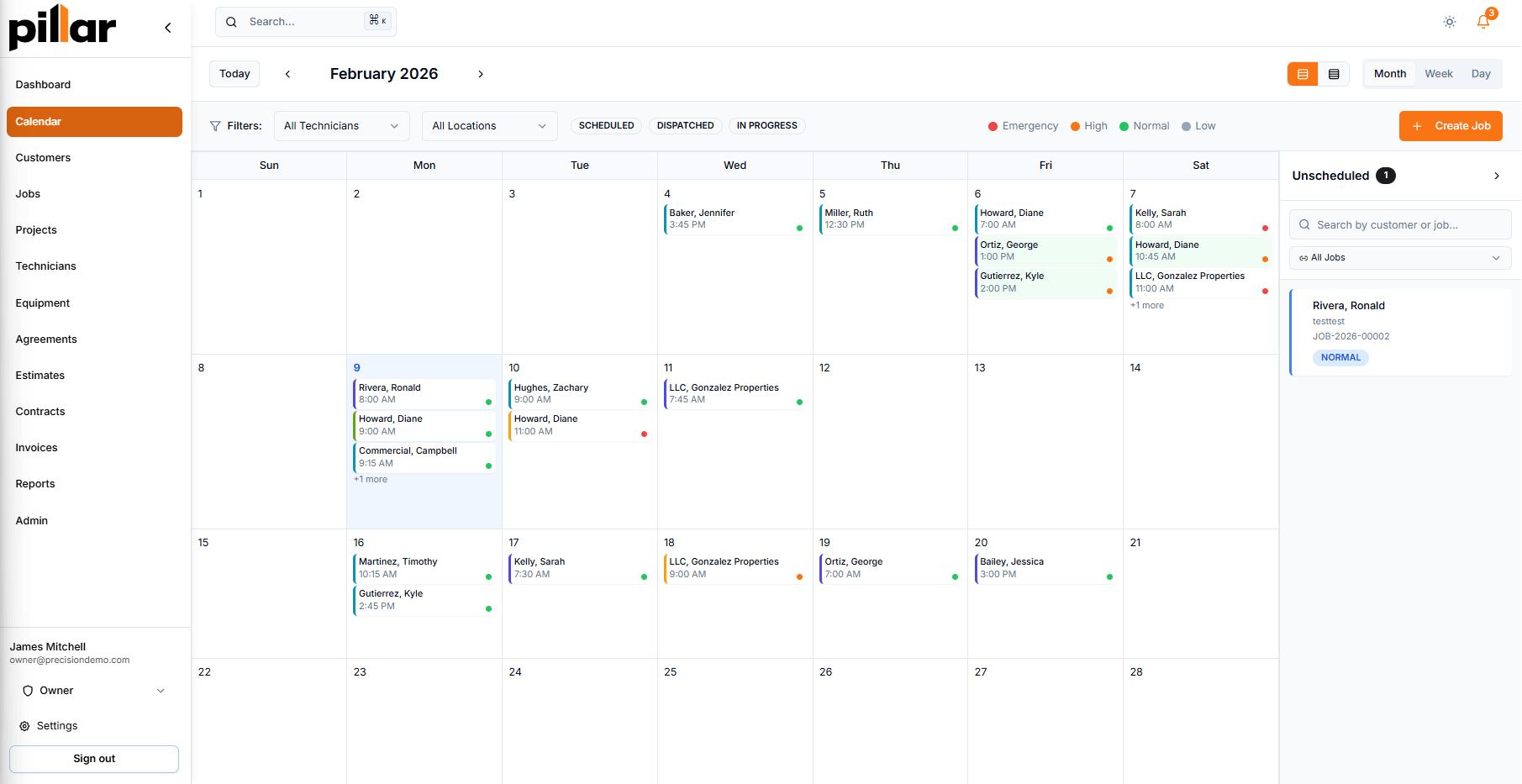
Color-Coded Calendar
Each crew member has a distinct color on the scheduling calendar. Spot workload imbalances and open slots at a glance.
Conflict Detection
Overlapping appointments are flagged before saving. Your dispatcher sees the warning before a crew gets double-booked.
Spring cleanup to snow removal, in one system
Landscaping work shifts with the seasons. Pillar handles different service types, pricing, and schedules without forcing you into a rigid one-size-fits-all structure.
Spring Cleanup
Mulching, edging, bed prep, debris removal
Summer Mowing
Weekly/bi-weekly mowing, trimming, blowing
Fall Leaf Removal
Leaf cleanup, aeration, overseeding
Winter Services
Snow removal, holiday lighting, pruning
Tighter routes, tracked hours
Per-job clock-in/out keeps labor records accurate for every property visit. Track billable hours, travel time, and profitability across your entire route.
Territory-based dispatch
Assign crews to service areas and manage territory assignments for efficient scheduling.
Per-job clock-in and clock-out
Time recorded at clock-in and clock-out for verified labor records per property.
Billable vs. non-billable hours
Separate job work, travel, admin, and break time for accurate costing.
Profitability per job
Compare estimated hours to actual labor. See which properties are profitable and which are not.
Equipment tracking
Track mowers, trimmers, and blowers assigned to customers or job sites with warranty and service records.
Serve commercial clients professionally
Property managers and HOAs expect visibility into their service. Pillar gives them a branded portal where they can view jobs, approve estimates, pay invoices, and request reschedules.
Quote, invoice, and get paid faster
Build estimates from your price book, send them for approval with e-signature, convert approved quotes to jobs, and invoice with Stripe payment collection.
Build Estimate
Pull items from your price book. Set quantities and descriptions for each line item.
Customer Approves
Send a tokenized link. Customers approve with an e-signature, no login required.
Convert to Job
Approved estimates convert to jobs with one click. Schedule and assign a crew immediately.
Invoice & Collect
Generate invoices from completed work. Customers pay online via Stripe or by check.
Everything a landscaping company needs
Pillar connects scheduling, crew management, customer records, and financial tools in one platform.
See Pillar with your routes loaded
Schedule a demo and we will walk through recurring schedules, crew assignment, and territory management with your actual service area in mind.