Pillar
Pillar
By Trade

Plumbing software that works like you do

From emergency leak calls to scheduled water heater installs, Pillar keeps your plumbing operation organized. Dispatch the right technician, track every job, and get paid faster.

Emergency DispatchEquipment TrackingCustomer PortalOn-Site Quoting
Plumbing dispatcher viewing the daily schedule on a desktop screen, showing 6 appointments with job types like Emergency Leak Repair, Water Heater Install, and Drain Cleaning, each with customer name, address, and assigned technician with color-coded status badges

Built for how plumbing companies actually operate

Emergency calls at 6 AM. Technicians across town. Parts on the truck. Pillar handles the operational reality of running a plumbing business.

Emergency Dispatch

Emergency-priority jobs jump to the top. Find the nearest available technician, assign the job, and track status from dispatch to completion.

Multi-Day Projects

Re-pipes and bathroom remodels take multiple visits. Break complex work into separate appointments, each with its own crew, schedule, and checklist.

Equipment & Warranty

Track water heaters, sump pumps, tankless units, and fixtures per customer. Warranty expiration alerts keep you ahead of callbacks.

On-Site Quoting

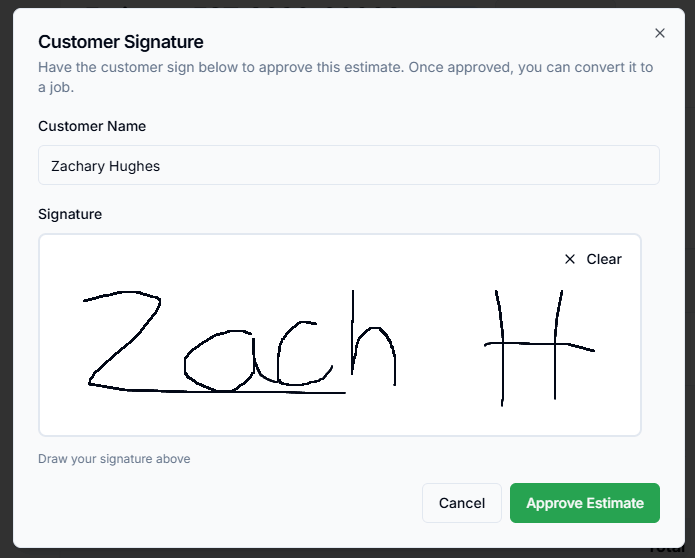
Technicians build estimates from the price book on their phone. Customers approve with an e-signature before the tech leaves the driveway.

Recurring Maintenance

Set up automatic job creation for backflow testing, water softener service, and seasonal inspections. Jobs generate on schedule without manual entry.

Get Paid Faster

Send invoices with online payment links. Customers pay via Stripe from the portal or a direct link — no chasing checks.

Emergency Ready

Emergency calls handled, not fumbled

When a burst pipe call comes in, you need to dispatch fast. Pillar lets you create an emergency-priority job, find the closest available technician, and get them on their way — with the customer notified automatically.

Four priority levels

Low, Normal, High, and Emergency. Emergency jobs are visually flagged across the calendar and dispatch views.

Technician recommendations

The system suggests the best-fit technician based on skills, availability, and proximity to the job site.

Real-time status tracking

See where your technicians are in their workflow. Dispatchers make informed decisions about who to send.

Automatic notifications

SMS and in-app alerts keep the customer and the technician in sync without manual phone calls.

Schedule conflict detection alert showing overlapping technician appointments with job details, time conflicts, and a suggestion to select a different technician or reschedule

A plumbing job from start to finish

See how a typical service call flows through Pillar — from the customer's request to a paid invoice.

1

Customer calls in

Create the job with customer, location, and priority.

2

Dispatch a technician

Assign the closest, most qualified tech.

3

On-site work

Checklist, photos, time tracking, and notes.

4

Approval & invoicing

Estimate approved, invoice generated.

5

Payment collected

Customer pays via portal or payment link.

Customer Equipment

Rheem Marathon 50-Gal Water Heater

S/N: RH2024-MR50-1182

Warranty

Wayne CDU980E Sump Pump

S/N: WN2023-CDU980E

Warranty

Rinnai RU199iN Tankless Heater

S/N: RN2021-RU199

Expired

Watts 009QT Backflow Preventer

S/N: WT2022-009QT

Warranty
Equipment Tracking

Every water heater, sump pump, and fixture on file

Track installed equipment per customer with manufacturer, model, serial number, and warranty expiration. When your tech arrives for a follow-up, they know exactly what they are working with.

Warranty Alerts

Dashboard notifications before expiration

Service History

Full record of work on each unit

Auto-Create from Jobs

New installs generate equipment records

Customer Visible

Customers see their equipment in the portal

Field Tools

Your technicians work from their phones

Pillar is a Progressive Web App — installable on any phone or tablet, no app store required. Technicians see their daily schedule, follow checklists, capture before-and-after photos, clock in per job, and build on-site quotes from the price book.

Daily job schedule
Step-by-step checklists
Before/after photos
Per-job time tracking
On-site quoting
Price book access
Offline caching
No app store required
Mobile phone showing a plumbing technician's daily job list with an Emergency Leak Repair in progress, customer name, address, and Complete button, plus time tracking and job navigation tabs
Customer portal dashboard showing upcoming appointments, outstanding invoices with a Pay Now button, quick actions for equipment and payment history, and customer contact information
Customer Portal

Customers help themselves, you save the calls

Give your plumbing customers a branded self-service portal. They approve estimates with an e-signature, pay invoices via Stripe, view their equipment and warranty info, and request reschedules — all without calling your office.

View jobs & appointments
Approve estimates
Pay invoices online
Equipment & warranties
Reschedule requests
SMS preferences

What Pillar gives your plumbing company

One platform that connects your office, your technicians, and your customers. No more toggling between apps.

One System, Not Five

Scheduling, dispatch, estimates, invoicing, and customer management in a single platform.

Office and Field Connected

Dispatchers and technicians share the same data in real time. No calling back and forth.

Branded Customer Experience

Your logo, your colors, your portal. Every touchpoint reflects your plumbing company.

Built to Scale

Start with core features today. Projects, contracts, and API access available when you grow.

Start with a 14-day free trial

Every new plumbing company gets full access to the Enterprise plan for 14 days — no credit card required. Set up your price book, invite your team, and run real jobs before you commit. Pro plan begins at $99/month, Enterprise at $199/month.

See Pillar configured for a plumbing company

Walk through the platform with our team. We will set up a demo using plumbing job types, equipment categories, and scheduling patterns that match your operation.