Pillar
Pillar
By Trade

Locksmith software that makes the phone quote the final price

Flat-rate quotes from one price book, emergency lockouts slotted in without double-booking, and a service-call fee collected before the truck rolls. Built for residential and commercial locksmiths who quote it straight.

Flat-Rate Price BookEmergency SchedulingService-Call Fees Up FrontTruck StockCommercial Hardware Records

The problems locksmiths know too well

A locksmith business runs on urgent calls from strangers who have already been warned about your industry. The price has to hold, and the day has to bend.

The scammers got there first

Bait-and-switch "$19 lockout" ads have trained customers to expect the price to triple on arrival. Honest shops pay for that reputation every time the phone rings.

Every quote sounds different

When prices live in each technician’s head, the same rekey gets quoted three ways by three people. Customers notice — and so does your margin.

Lockouts do not wait for Thursday

A lockout call wants a tech now. Squeezing urgent work into a day you cannot see clearly means double-booking someone or turning the call away.

The customer who got back in

You send a tech across town and the caller found a spare key — or a cheaper ad. Without a service-call fee collected up front, that trip comes out of your pocket.

Nobody knows what is on the truck

Cylinders, blanks, deadbolts, and smart locks get loaded and used with no running count. The tech arrives for a six-cylinder rekey with four on board.

Commercial accounts live in one head

Which doors got rekeyed at the warehouse, what hardware is on the back entry, when the panic bar went in — if the answer is "ask Tony," the account walks when Tony does.

Flat-Rate Price Book

The price on the phone is the price on the invoice

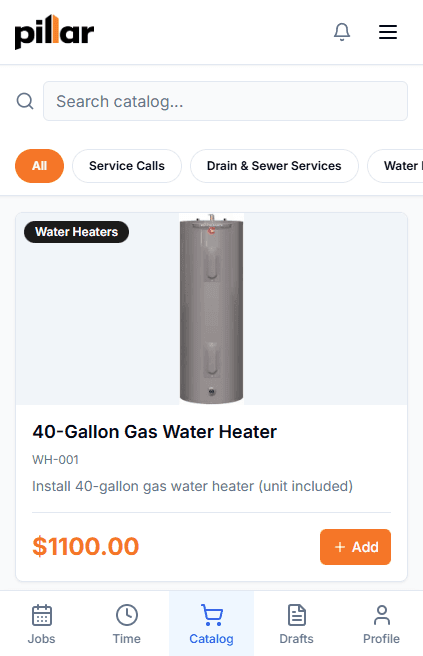
Bait-and-switch lockout ads have made every caller suspicious before you say a word. Pillar puts your flat rates — lockouts, rekeys per cylinder, deadbolt installs, smart lock installs — in one price book, so the office and every technician quote from the same list, and the invoice carries the same line items the caller heard on the phone.

One catalog, every quote

Flat-rate items for lockouts, rekeys priced per cylinder, deadbolt installs, and smart lock installs. The office and every tech quote from the same list.

Quote to invoice, one record

Techs draft quotes from the catalog on their phone, convert them to estimates, and the invoice carries the same line items. The number does not drift between the call and the card swipe.

Rekey, replace, or upgrade — side by side

Good-better-best options on price book items present the rekey, the new deadbolt, and the smart lock as a clear choice instead of a doorstep upsell.

Change a price once

Update the catalog and every future quote follows. No price lists taped to dashboards, no six versions of the truth.

Phone Quote — 9:18 PM

Flat Rate

Residential lockout — front door

House lockout — standard$89
After-hours surcharge$40

Quoted on the call

$129

Invoice — After the Job

Invoice total: $129Matches the quote
Emergency Lockout Calls

From “I’m locked out” to a tech on the way

Someone standing outside their own front door does not want a callback tomorrow. Create the job during the call, mark it Emergency, and slot an available technician into a day you can actually see — without double-booking the one already on a commercial rekey.

Job created during the call

Quick-create the customer and the job while they are still on the line. Priority levels up to Emergency mark the calls that cannot wait.

The flat rate, quoted live

The price book is on the screen during the call, so the quote is the list price — not a guess the tech has to defend on the doorstep.

A day you can actually see

Day, week, and month calendar views with drag-and-drop scheduling and conflict detection — urgent calls slot in without double-booking a tech.

Statuses, not phone tag

Jobs move from scheduled to dispatched to in progress to completed. The office sees where every call stands without ringing the tech to ask.

Locksmith business software that covers the whole operation

Quoting, scheduling, hardware records, and billing in one system — so the office and the trucks work from the same record.

Service-call fees before you roll

A phoned-in deposit request creates an invoice with a Stripe payment link — sent by branded email on every plan, or by text on the Enterprise plan. No more eating the trip.

Truck stock that matches reality

Each truck is an inventory location. Cylinders, blanks, and hardware are deducted when used on a job, and purchase orders restock from your vendors.

Estimates for the big rekey jobs

A full-building rekey deserves more than a number on a napkin. Build the estimate from the price book and the customer approves online with an e-signature — no login required.

Commercial maintenance agreements

Recurring agreements bill on one cycle and generate visits on another — quarterly door-hardware checks for a commercial account appear on the calendar automatically.

Installed hardware records

Locks, closers, and panic hardware tracked as equipment records — manufacturer, model, install date, warranty, and the service history of every visit since.

Paid before the truck leaves

Invoices carry a Stripe payment link, so the customer can pay by card on the spot or from the link later — and the payment lands on the job record either way.

Commercial Accounts

Every lock you install, on file for the next call

A property manager calling about “the back door at the Elm Street building” should not depend on one technician’s memory. Pillar tracks installed locks and hardware as equipment records on the customer — manufacturer, model, install date, warranty, and the service history of every rekey since.

Hardware on file per customer

Each installed lock, closer, or exit device is its own equipment record — manufacturer, model, serial, install date, warranty, and notes on which door it lives on.

Service history per unit

Every rekey, repair, and inspection logged against the unit — what was done, by whom, and what was found. The next tech reads the history instead of guessing.

Recurring maintenance, on autopilot

Service agreements separate the billing cycle from the visit schedule, so a monthly-billed account with quarterly hardware checks runs itself.

E-signature on the big jobs

Building-wide rekeys and hardware upgrades go out as formal estimates the property manager approves online — a signed record before the work starts.

Truck 1 — Stock

Inventory Location
Deadbolt — single cylinderQty 6
Entry lever setQty 4
Smart lock — keypad deadboltQty 3
Rekey pin kitQty 2
Key blanks — residential (100 ct)Qty 5

Last Physical Count

June 1 — no variance

Truck Stock

The right cylinder on the right truck

Showing up to a rekey without enough cylinders turns one trip into two. Pillar tracks stock per location — the shop and each truck — deducts hardware as it is used on jobs, and runs purchase orders from your vendors through receiving.

Stock per truck

Every truck is its own inventory location with assigned stock — cylinders, blanks, deadbolts, smart locks.

Deducted on use

Hardware used on a job comes out of that truck’s count automatically. No end-of-week guessing.

Purchase orders

Restock from vendors with a receiving workflow — ordered, received, counted.

Physical counts

Count sessions with variance tracking show where stock actually went.

How locksmith companies use Pillar

From the lockout call to the commercial account it turns into, every step stays on one record.

1

Take the call

Create the customer and the job while they are on the phone, and quote the flat rate straight from the price book. If you charge a service-call fee, send the payment link before anyone rolls.

2

Dispatch a tech

Slot the job into the day view, conflict-checked, with priority up to Emergency. The tech sees it on their phone with the customer’s history attached.

3

Do the work, on the record

Hardware used comes off the truck’s count, photos and notes attach to the job, and installed locks become equipment records.

4

Invoice the quoted price

The invoice carries the same line items as the quote, and the customer pays online through Stripe. Commercial accounts roll into recurring agreements.

Frequently asked questions

Can my whole team quote the same flat rates?
Yes. Your services — lockouts, rekeys priced per cylinder, deadbolt installs, smart lock installs — live as flat-rate items in one price book. The office quotes from it on the phone, technicians draft quotes from it in the field, and estimates and invoices pull the same line items. The price the caller heard is the price on the invoice, which is the whole argument against the bait-and-switch shops.
Can I collect a service-call fee before sending a tech to a lockout?
Yes. A deposit request creates an invoice with a Stripe payment link the customer can pay before the technician heads out. The link is sent by branded email on every plan; text message delivery requires the Enterprise plan with texting set up. Appointment types can carry a default service-call fee so the office does not re-type it on every call, and you are notified the moment it is paid.
Can Pillar track the locks and hardware I install for commercial accounts?
Yes. Each installed lock, closer, or exit device becomes an equipment record on the customer account with manufacturer, model, serial number, install date, warranty expiration, and a full service history of every rekey, repair, and inspection. Recurring maintenance for commercial accounts runs through service agreements that separate the billing cycle from the visit schedule.
How much does locksmith software cost?
Pillar Pro is $99/month and Enterprise is $199/month, each including one user, with additional users at $49 and $69 per month respectively. Annual billing saves roughly 20%. Every new account starts with a 14-day free trial of the Enterprise plan, and there are no setup fees or long-term contracts.
Does Pillar store key codes or design master key systems?
No. Pillar is not a key-code database, code-cutting reference, or master-key system design tool — it runs the business side: scheduling, flat-rate quoting, invoicing, installed-hardware records, and truck stock. Technicians can attach photos and notes to jobs, and internal notes on customer records are visible to your team only — they never appear in the customer portal.

See how Pillar works for locksmith companies

Walk through flat-rate quoting, emergency scheduling, and installed-hardware records with your own services and prices. No generic demo — your workflow on the screen.