
To write estimates that win more jobs, get a clear, itemized number in front of the customer fast and make it simple to say yes. Build the estimate on site so they have a real figure before you leave, give them a few priced options instead of one take-it-or-leave-it number, and let them approve from a link with an e-signature. Quick and clear quotes win more often than cheap ones.
Most field service businesses do not lose work because their prices are too high. They lose it in the gap between the site visit and a signed quote. The estimate takes three days to write. It goes out as one confusing number with no options. Or it lands in the inbox and nobody ever follows up. This guide walks through the four places estimates fall down and how to fix each one so more of your quotes become jobs.
Why the estimate decides the job
By the time you are writing an estimate, the customer already has a problem they want solved and money they are willing to spend. The job usually goes to whoever is easiest to say yes to, and that is rarely the cheapest. What the customer is really weighing, before they ever line up prices, is how fast you got back to them, whether they understand what they are paying for, and how much hassle it takes to approve the work.
Picture a homeowner who calls three companies for the same repair. The first quotes on the spot with a clear breakdown and two options. The second promises to email something over and does so four days later. The third never follows up. Their prices land within a few dollars of each other, but the first company takes the job most of the time. It was the only one that made the decision feel easy.
Step 1: Quote on site, same day
The first lever is speed, and it is almost entirely in your control. The longer an estimate takes to reach the customer, the more time they have to call someone else, second-guess the work, or simply lose the urgency that made them call in the first place. The goal is to hand over a real number before you leave, not days later from the office.
That is only realistic when building the quote is fast. If your technicians can assemble an estimate on a phone or tablet, pulling priced items straight from your price book, the numbers are consistent and the quote is ready in minutes. Pillar lets technicians build quote drafts on site by selecting catalog items, then save and convert them into a formal estimate, so the price the customer sees at their kitchen table matches what your office would have sent. Nobody is guessing at a figure or calling back later to confirm one.
Speed only helps if the underlying price is sound, which is why how you structure your pricing matters as much as how fast you quote. A flat-rate price book in particular lets you produce an accurate, confident number on the spot instead of promising to work the math out later.
Step 2: Offer Good, Better, and Best
A single price forces a yes-or-no decision, and yes-or-no decisions are easy to walk away from. Presenting the same job at a few price points changes the question entirely. Instead of deciding whether to hire you, the customer decides which version of the work suits them, and the conversation stays focused on value rather than on shopping around.
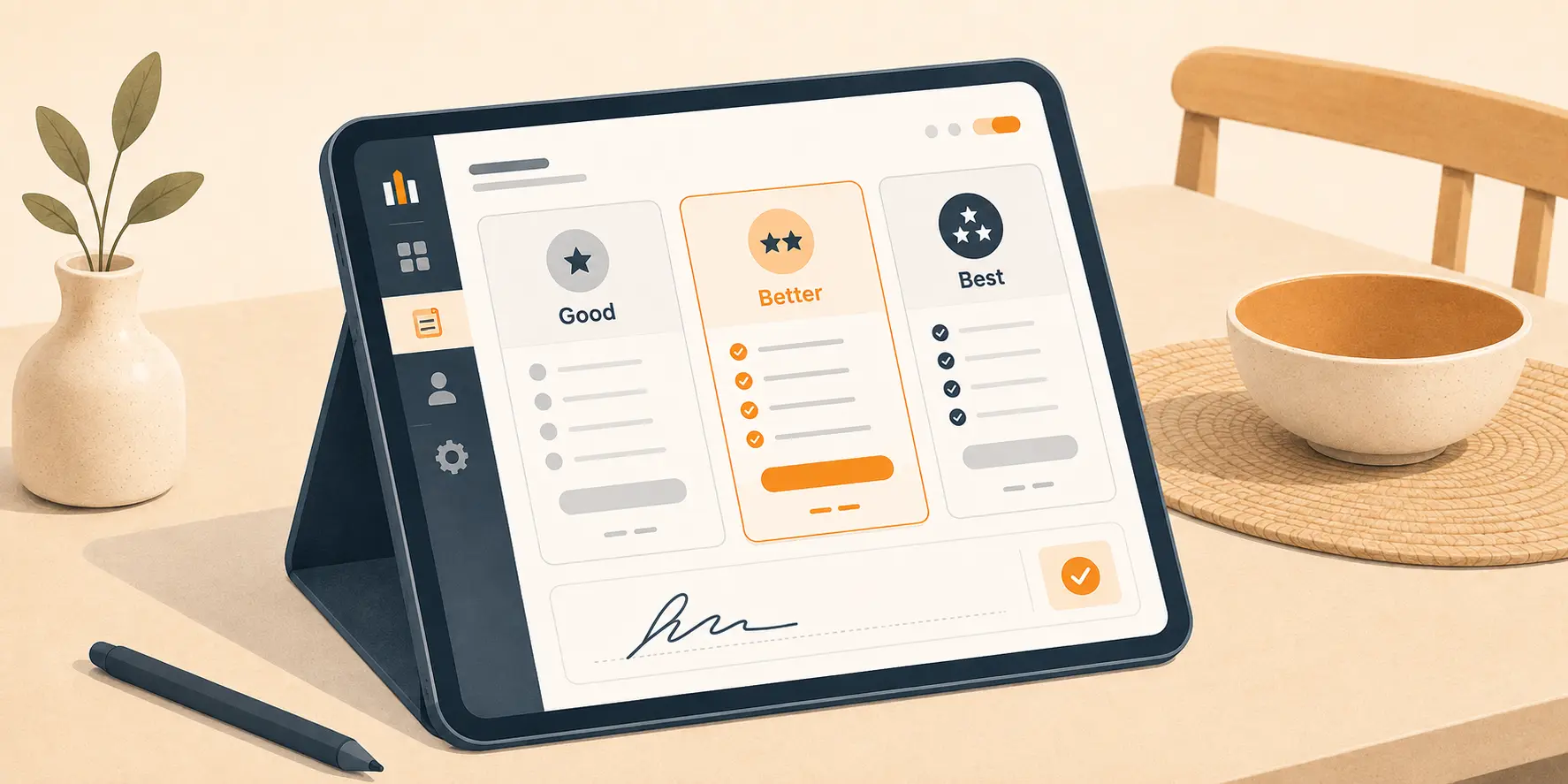
The pattern most trades use is Good, Better, and Best. The Good option solves the immediate problem. The Better option adds durability, warranty, or convenience. The Best option is the complete, no-compromise version. Most people steer away from the cheapest and the most expensive, so a well-built middle option becomes the natural pick and tends to lift your average ticket. Pillar supports this directly. Price book items can carry multiple options with a recommended flag and highlighted features, so the customer sees the differences laid out clearly rather than buried in fine print.
| Tier | What it covers | Who it fits |
|---|---|---|
| Good | Solves the immediate problem with quality parts and labor. | Budget-conscious or short-term needs. |
| Better | Adds durability, longer warranty, or a convenience upgrade. | Most customers, and your recommended default. |
| Best | The complete solution with premium materials and extras. | Customers who want it done once and done right. |
Step 3: Make approval effortless
A fast, well-built estimate still stalls if approving it is a chore. If the customer has to print the quote, sign it, scan it, and email it back, you have added friction at the exact moment they were ready to commit. Plenty of them mean to do it and never get around to it, and an unsigned quote is a job slipping through your fingers.
Remove that friction by letting customers approve the moment they decide. With Pillar, you can send an estimate as a tokenized link that needs no login, and the customer approves it with an e-signature right in their browser. If you are standing in front of them, the technician can capture the signature on the spot. Either way, you get a clear record of who approved which option and when, which protects you if the scope is ever questioned later.
| Slow path (avoid) | Fast path (do this) |
|---|---|
| Quote written up days later at the office and emailed as a PDF. | Quote built on site from the price book and sent the same day. |
| One flat number with no room for the customer to choose. | Good, Better, and Best options with a recommended choice marked. |
| Customer prints, signs, scans, and emails the quote back. | Customer approves from a link with an e-signature, no login. |
Step 4: Follow up automatically
Plenty of good estimates go unsigned for no real reason. The customer meant to decide, got busy, and the quote drifted to the bottom of the inbox. These are the most winnable jobs you have, and chasing them by hand is exactly the kind of task that loses to a busy week.
The fix is to set every estimate with a validity window, often thirty days, and let the system follow up for you. A reminder before the quote expires brings the customer back to a decision without anyone in the office picking up the phone. Pillar sends these over the same multi-channel notification system it uses for appointment and invoice reminders, by in-app message, email, or SMS, so a stalled quote gets a nudge instead of being forgotten. The office only steps in for the genuinely undecided, not the routine forgetters.
Build the estimate before you leave the driveway
A quote that has to wait until you are back at the office is a quote a competitor can beat to the customer. Building it on site from your price book means the customer has a clear, itemized number while you are still standing there.
Learn about Estimates & QuotingGive the customer a choice, not an ultimatum
A single price is a yes-or-no question. Three priced options turn it into which one fits best, which keeps the conversation going and tends to lift your average ticket without any hard selling.
Learn about the Price BookLet them approve with a signature, not a printer
A customer who has to print, sign, scan, and email a quote back will put it off. An approval link with an e-signature lets them say yes in under a minute, on site or later from their phone.
Learn about Approvals & SignaturesLet reminders chase the unsigned quotes
Most unsigned estimates were never turned down. The customer just got busy and forgot. An automatic nudge before the quote expires brings them back without an awkward call from the office.
Learn about NotificationsConnect the estimate to the rest of the job
A won estimate is only the start. The faster an approved quote turns into scheduled work and a paid invoice, the more that win is actually worth. When the estimate lives apart from the rest of your tools, the numbers get rebuilt at every stage and delays creep in between agreeing the price and getting paid for it.
Pillar keeps the whole thread connected. An approved estimate converts directly into a job, so the work the customer signed off on is the work that gets scheduled, with no retyping. From there it flows into the same billing records you use to get paid faster, and the customer can review and pay from the same customer portal where they approved the quote in the first place.
This is also where leaving spreadsheets behind pays off. Quotes, approvals, jobs, and invoices that all reference each other are far harder to lose track of than a folder of disconnected documents, which is one of the clearest signs a business has outgrown spreadsheets.
Getting started
You do not need to change everything at once. Start with the step that is fully in your control: commit to handing the customer a real estimate before you leave the site, and watch how many more of those quotes turn into jobs. Then add a second and third option to your most common services, and turn on reminders so the unsigned quotes follow up themselves.
Pillar connects those steps so they reinforce each other. Estimates are built on site from your price book, approved with an e-signature from a no-login link, and converted straight into scheduled, billable work. If you want to see how a quote goes from the kitchen table to a signed, scheduled job without a trip back to the office, request a demo and we will walk you through it.
Frequently asked questions
How do I write an estimate that wins more jobs?
Get a clear, itemized number in front of the customer fast and make it simple to say yes. Build the estimate on site so they have a real figure before you leave, give them a few priced options instead of a single take-it-or-leave-it number, and let them approve from a link with an e-signature. Quick, clear quotes turn into work more often than cheap ones.
What is Good/Better/Best pricing?
Good/Better/Best presents the same job at three price points: a basic option, a mid-tier option, and a premium option. It shifts the customer question from whether to hire you to which package fits them. Most people avoid the cheapest and the most expensive, so a well-built middle option becomes the natural choice and often raises your average ticket.
How fast should I send an estimate?
As fast as you reasonably can, ideally the same day and on site while you are still in front of the customer. The business that quotes first is often the one that wins, because the homeowner stops calling around once they have a clear number in hand. Every day an estimate sits unsent is a day a competitor can step in.
Are e-signatures on estimates legally valid?
In the United States, electronic signatures are recognized under the federal ESIGN Act and state UETA laws, so a customer approving an estimate online generally carries the same weight as ink on paper. A clear record of who approved what and when also protects you if the scope is ever questioned later. Always follow the rules that apply in your area.
Why am I losing jobs after sending estimates?
Usually one of three reasons: the estimate went out too slowly, it was a single confusing number with no options, or no one followed up after sending it. A quote that lands days late, forces a decision with no middle ground, or never gets a reminder will lose to a competitor who simply made saying yes easier.
Should estimates have an expiration date?
Yes. A validity window, often thirty days, protects you from honoring old pricing after your labor or material costs change, and it gives the customer a gentle reason to decide. Paired with an automatic reminder before the quote expires, an expiration date keeps quotes from drifting indefinitely without making you the one chasing the customer.