One person, $0 a month, with every feature switched on. No credit card at signup and no end date.
No card. No contract.
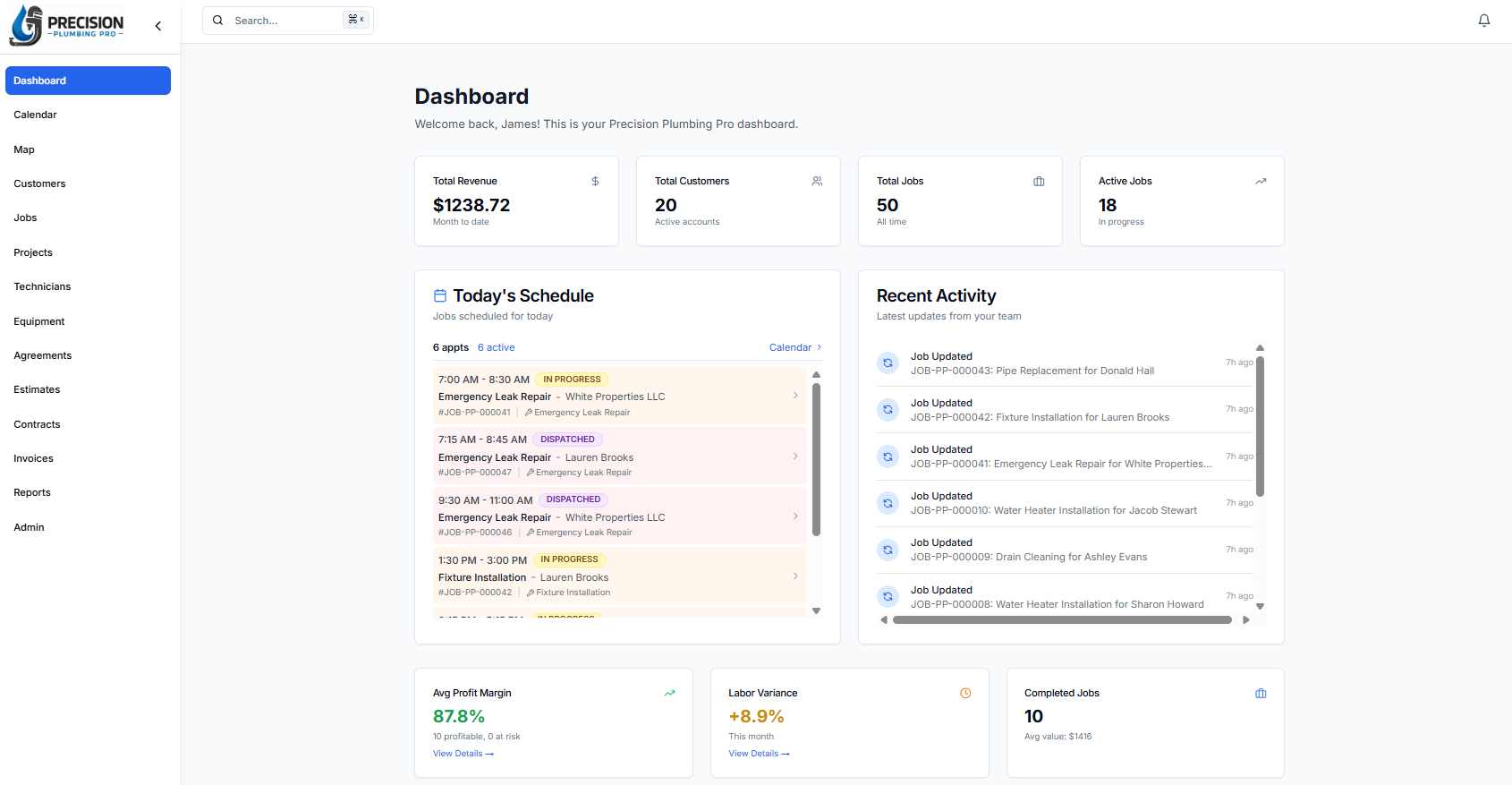
Free is the product here, not a sample of it. These are the only limits a one-person account runs into.
You are never asked for card details to sign up or to keep going.
There is no countdown running anywhere in the account.
Nothing is held back for a version you have to buy.
The three monthly counts reset on the first, and they only apply while you are the only person on the account.
Reaching one hundred stops you creating new ones until the reset. Everything you already have stays open, editable, and exportable.
This is the same app a ten-person company runs. There is no lighter version of it.
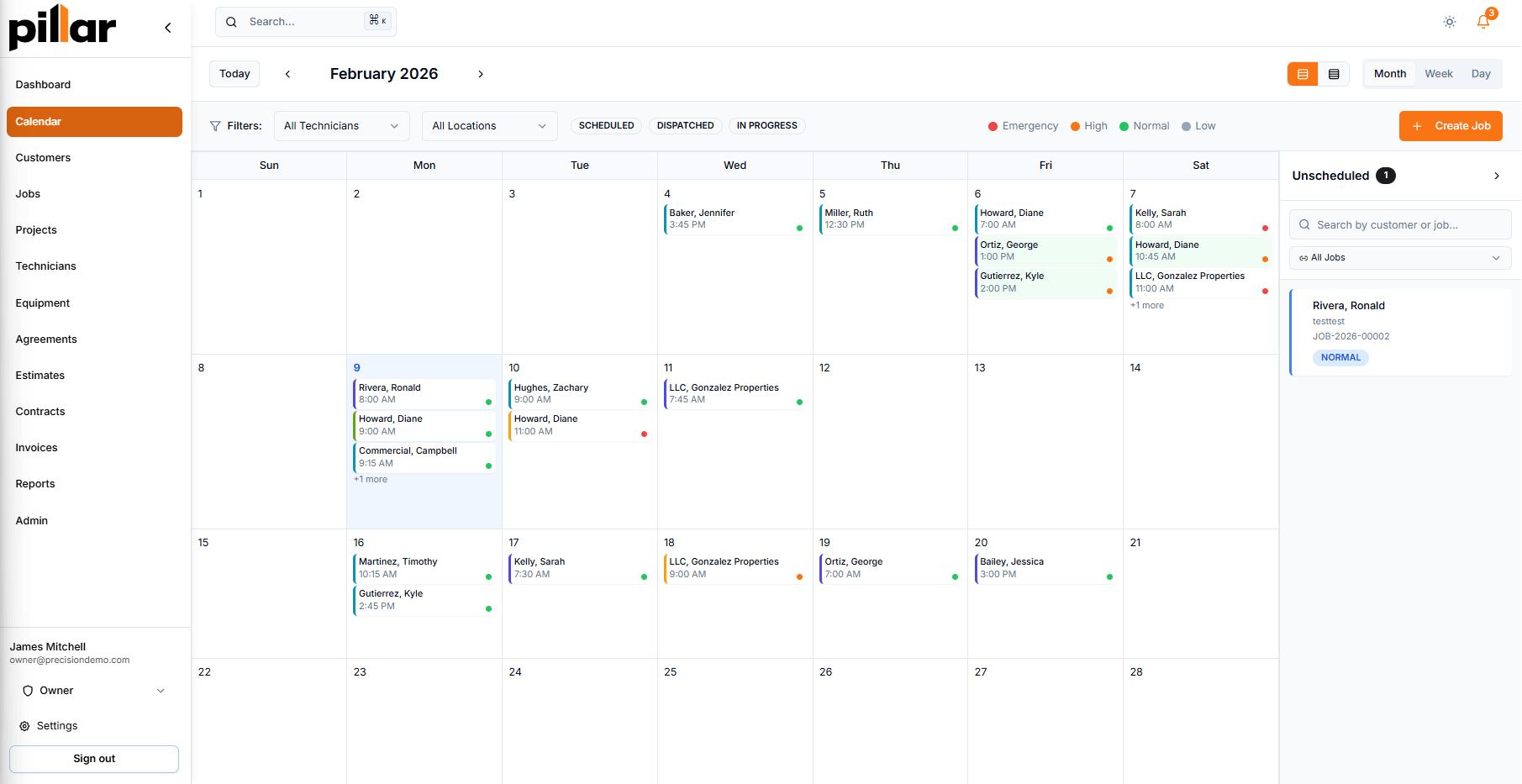
Drag jobs around the calendar, and every change follows the customer record.
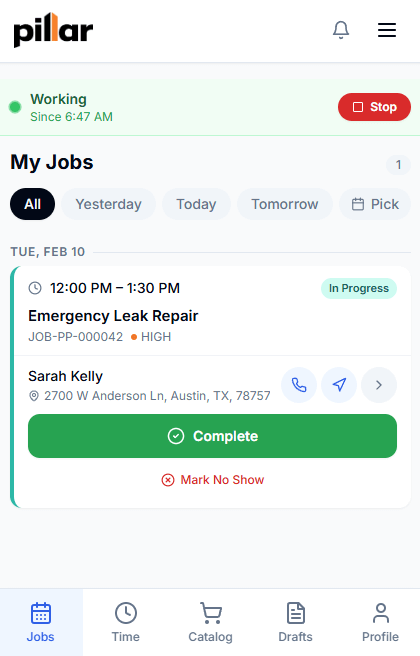
Run the day from your phone. When you hire, your tech downloads the same app straight from a link.
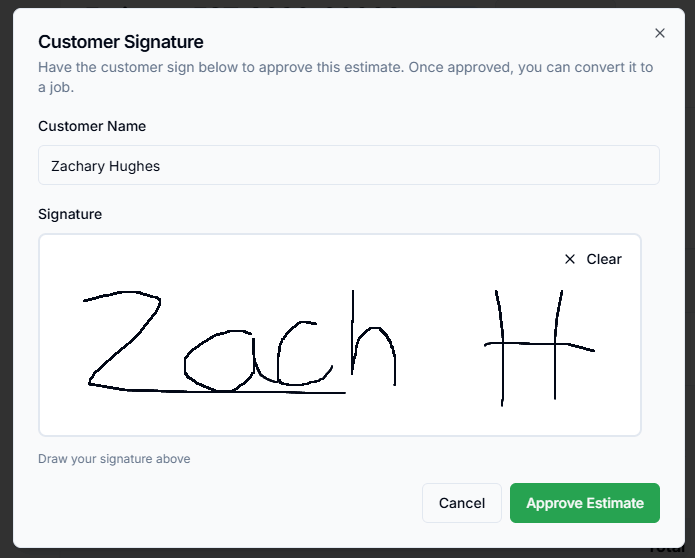
Build the estimate on site and have the customer sign it on your screen.
Turn the finished job into an invoice and take card or bank payment online.
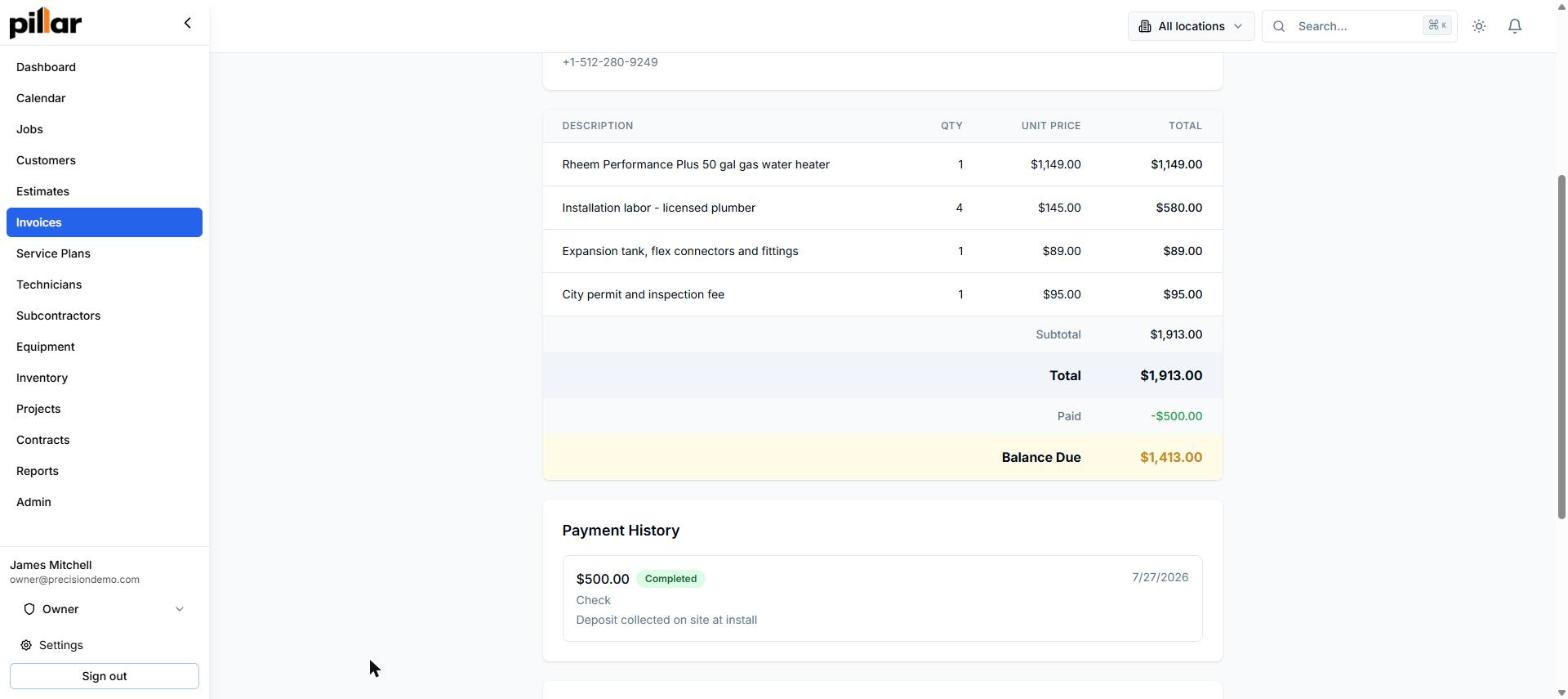
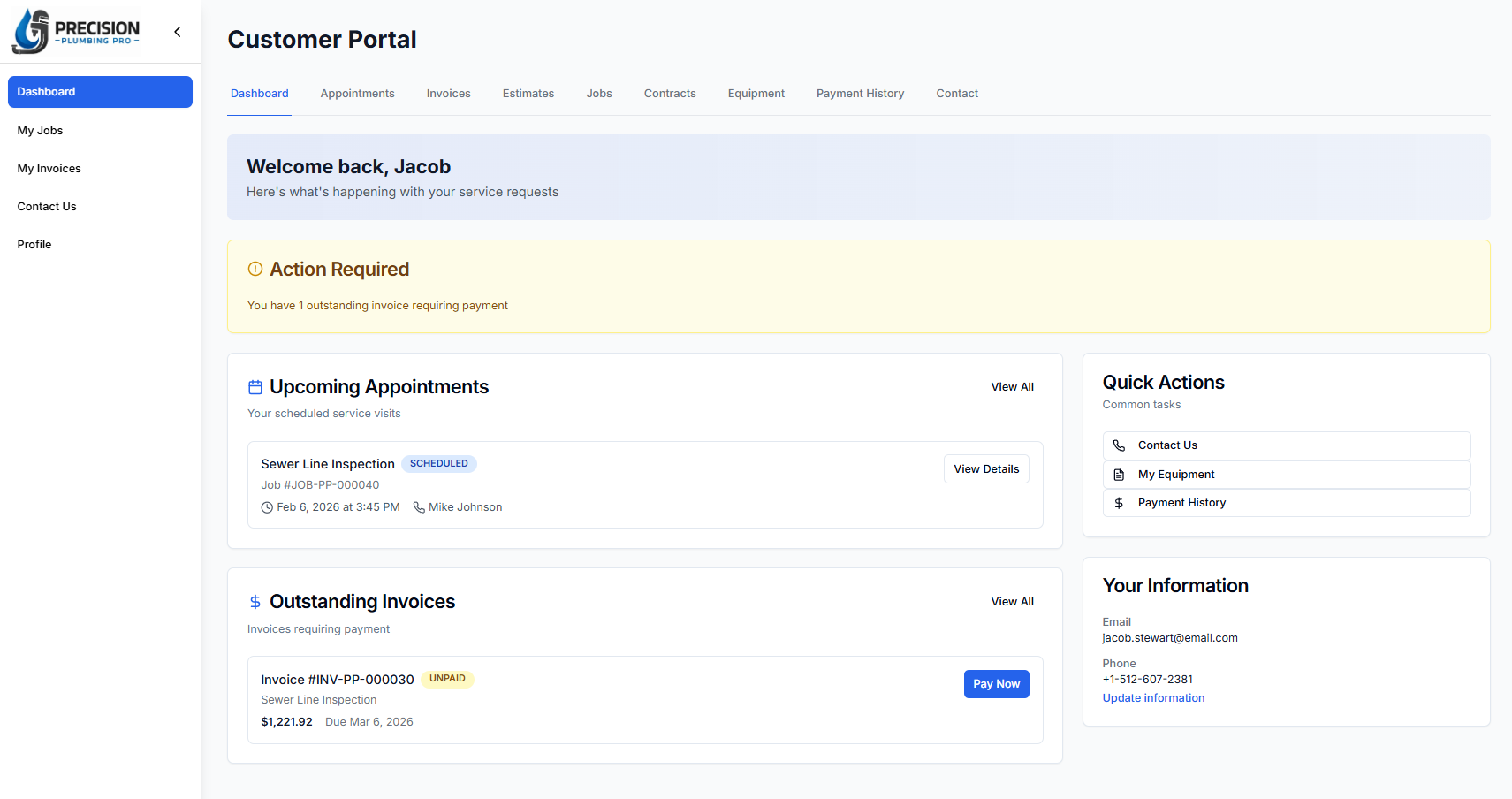
They see appointments, approve estimates, and pay invoices without calling you.
There is no migration and no new account. The bill starts when a second person needs their own login.
| What changes | Just you | Each person after you |
|---|---|---|
| What it costs | $0 a month | $39 a month |
| Jobs, estimates, invoices | 100 each a month | No monthly count |
| Customers | Unlimited | Unlimited |
| File storage | 25 GB | +25 GB each |
| Features | All of them | All of them |
The monthly counts lift for as long as a second person is on the account.
Storage is not a cap that lifts, it is an allowance that grows. Every account starts with at least 25 GB, each paid person adds another 25 GB, and 100 GB more is $10 a month if you ever want it.
* Payments taken through Pillar carry Stripe’s standard processing fees on your own Stripe account, plus 1% to Pillar. Cash and checks cost nothing.
Coming from something you pay for now? Compare Pillar and Jobber →
You run the import yourself from the admin screen, up to 100,000 rows at a time. If it comes in wrong, roll it back and run it again.
What moves: customers, jobs, price book, and service history.
Your data goes back out the same way. Every list exports to a spreadsheet whenever you want, at no charge.
Free forever for one person, with every feature switched on, no card on file and no end date. Two things are only charged if you use them: payments taken through Pillar carry a 1% fee, and texting and calling run on prepaid credit you buy.
No. You are not asked for card details to create the account or to keep using it, and a card is only needed if you add a second person or buy extra storage.
None. Recurring work, deposits, your branding, QuickBooks, projects, inventory, subcontractors, multiple locations, and the API are all switched on for one person, exactly as they are for a ten-person company.
One person can create 100 jobs, 100 estimates, and 100 invoices a month, with unlimited customers and at least 25 GB for photos and files. For a one-truck operation that is a busy month.
Reaching the count stops you creating new ones until it resets on the first. Everything you already have stays open, editable, and exportable, and putting a second person on the account lifts the counts.
$39 a month for that person, and the same for anyone after them. Your customers and any subcontractors get free logins and never count.
Yes. You run the import yourself from ServiceTitan, Housecall Pro, Jobber, FieldEdge, ServiceM8, Workiz, Square, or any spreadsheet, and any import can be rolled back if it comes in wrong.
There is. You download the Pillar app to your phone straight from a link, and anyone you hire later does the same.
Yes, whenever you want and at no charge. Every list exports to a spreadsheet without asking us first.
It stays where it is. A $0 account is a normal account, and there is no point at which records start disappearing.
More pricing questions? Read the pricing FAQ →
Sign up, import your customers, and put tonight's jobs on the schedule.
No card. No contract. No sales call.